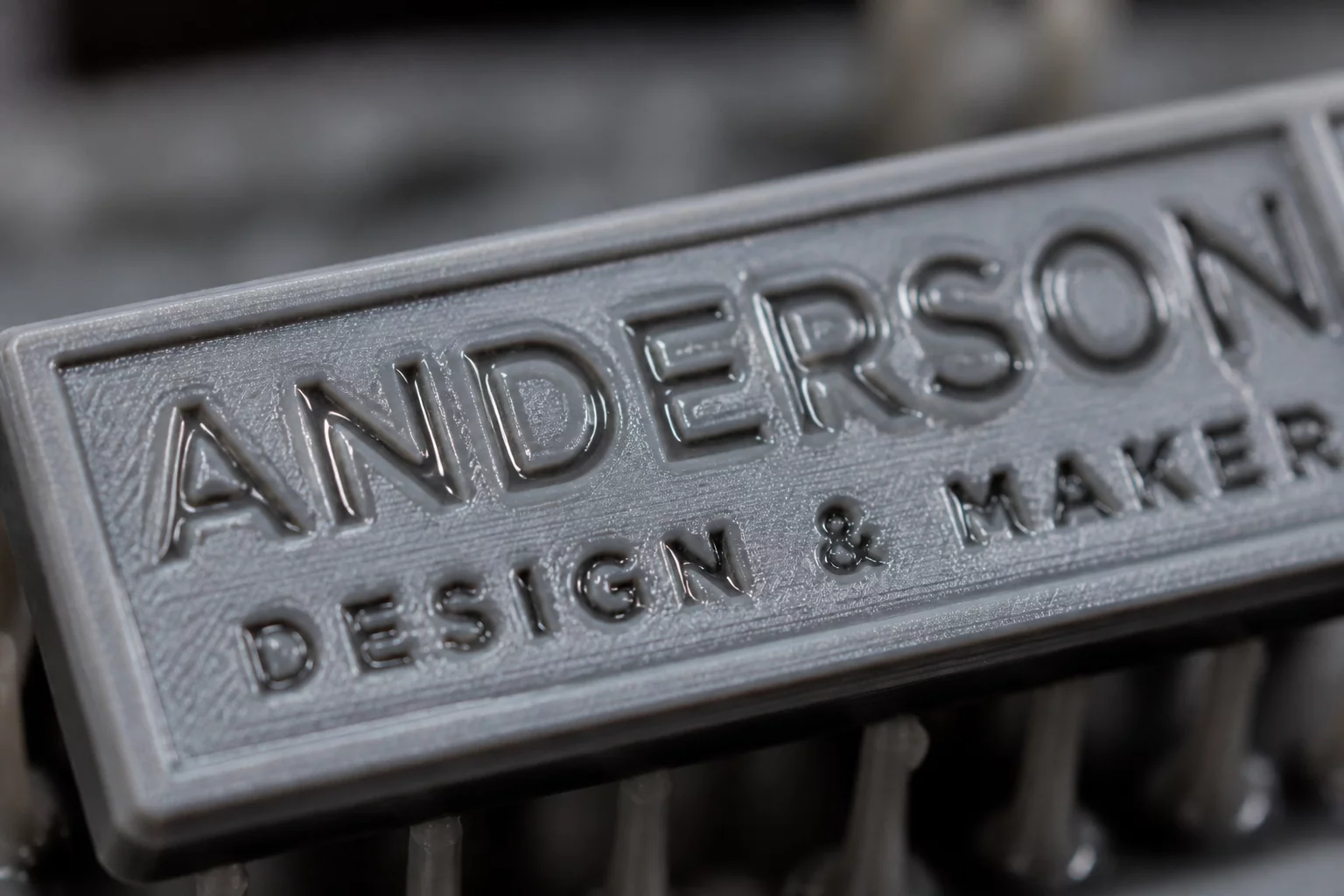
Recessed text and fine engraved features present a unique challenge in photopolymer 3D printing. As the printer cures layers around a cavity, liquid resin must flow freely out of the recessed zone. When resin viscosity is high, fluid forces and surface tension trap the unpolymerized liquid inside these microscopic channels, leading to unwanted curing and loss of legibility.
Understanding the Physics of Resin Pooling
During the printing process, the build plate moves upward after curing each layer. This movement creates a suction force and pulls fresh resin into the gap. For recessed features like letters, the liquid resin inside the cavity remains sheltered from active agitation. High-viscosity resins, such as engineering-grade or high-temp photopolymers, exhibit resistance to flow. The liquid stays trapped within the recess due to capillary action and surface tension.
How Light Bleed Compounds the Problem
Trapped resin does not simply remain liquid until the print finishes. During the exposure of subsequent solid layers surrounding the recessed text, stray UV light penetrates into the cavity. This phenomenon, known as light bleed or parasitic curing, partially solidifies the stagnant resin. Over several layers, the recessed text gradually fills with semi-cured gel, rendering the final engravings shallow or completely illegible.
Experimental Results: Low vs. High Viscosity
To evaluate the direct impact of fluid properties on debossed detail retention, we conducted comparative tests using two distinct resin formulations under identical printing conditions:
- Standard Model Resin (Low Viscosity, ~150-300 cPs): Yielded sharp text down to 0.4mm stroke width. Clean washout was achieved with standard isopropyl alcohol (IPA) rinsing.
- Tough Engineering Resin (High Viscosity, ~900-1200 cPs): Caused noticeable text bridging at widths below 0.8mm. The letters appeared rounded and filled, requiring extended ultrasonic cleaning.
Mitigation Strategies for Clear Engravings
To overcome the limitations imposed by resin viscosity, operators should implement targeted adjustments to both hardware settings and pre-processing configurations:
- Elevate Resin Temperature: Heating the resin vat to 30-35°C significantly reduces viscosity, improving flowability and drainage.
- Optimize Orientation: Tilt the model so that the recessed text faces downward or sideways at an angle. This allows gravity to help drain the liquid resin out of the cavities during peel cycles.
- Increase Rest Times: Adjusting the "rest time before exposure" or "light transition delay" in slicing software allows the liquid to settle and flow out of small features before UV activation.
- Post-Processing Agitation: Utilize active washing stations with strong vortex agitation or ultrasonic baths to force solvent into the deep recesses.
Add Your Perspective