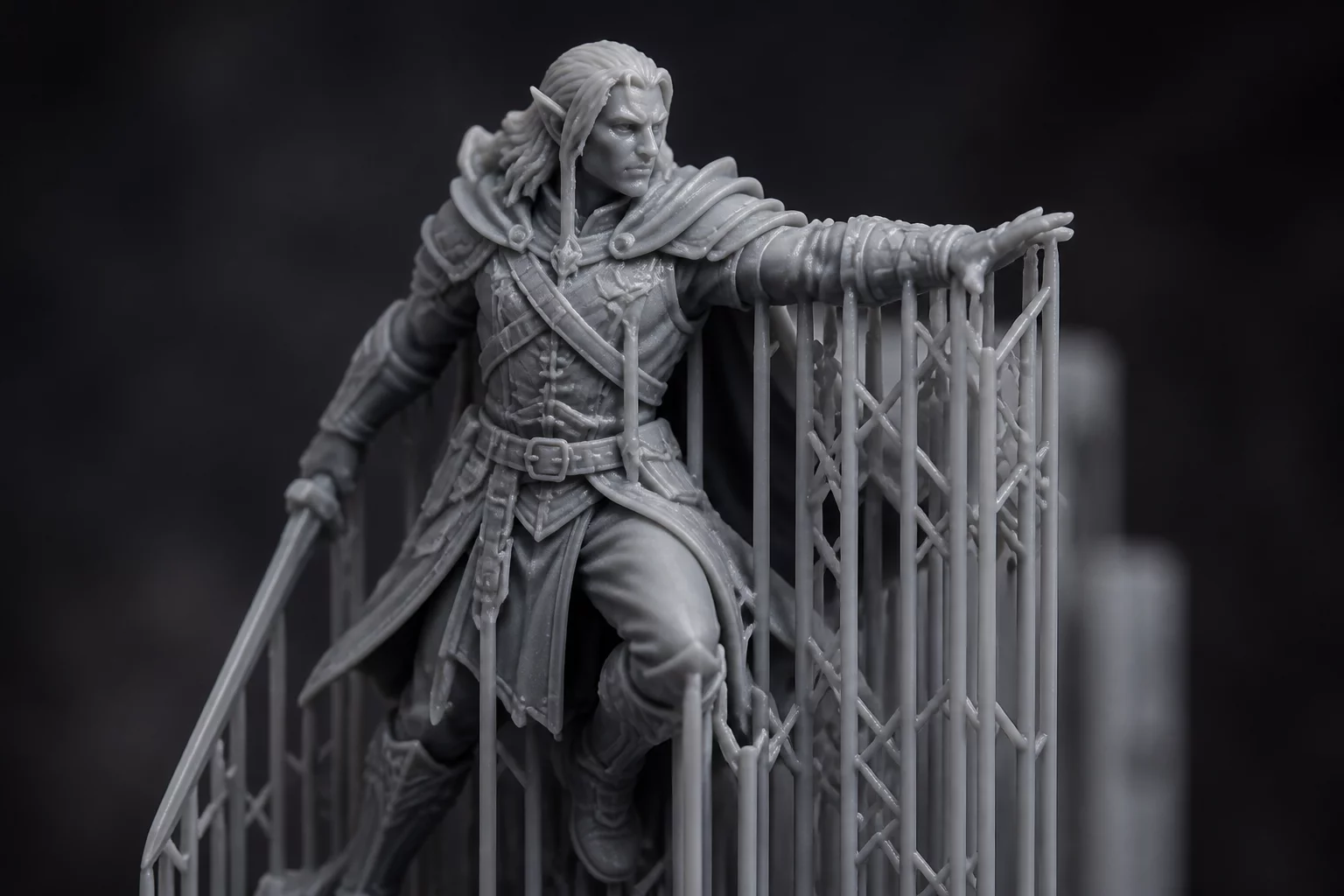
Understanding the Failure Mechanics of Thin Support Structures
In high-resolution tabletop miniature printing, the balance between preserving clean surface details and ensuring print stability remains a major challenge. Resin 3D printing relies on physical support columns to anchor overhangs and floating geometries. However, when these columns or their contact tips are designed too thin, the peeling force exerted by the FEP or ACF release film during the Z-axis lift cycle can pull the model away from its supports, leading to localized print failures or complete collapse.
Key Variables Affecting Support Integrity
Several variables influence how supports behave under load. The contact tip diameter controls the surface area bonded to the miniature. A diameter under 0.2mm minimizes surface scarring but risks separation under heavy pull forces. The penetration depth, or how far the support tip merges into the model geometry, must also be optimized. Shallow penetration depths make the connection behave like a weak hinge, compromising reliability. Resin temperature and viscosity also play a role; colder resins increase drag forces during separation, causing fragile supports to buckle or snap prematurely.
Step-by-Step Optimization Strategy
To achieve clean print runs without compromising the intricate details of weapons, capes, or facial features, apply the following setup adjustments in your slicing software:
- Analyze the Overhang Angles: Identify areas requiring support and group them by level of detail. Use heavy or medium supports on hidden structural areas (like the soles of feet or undergarments) to bear the primary load, and reserve light, fragile supports only for visible, delicate details.
- Adjust the Tip Diameter and Contact Depth: Set the contact tip diameter of your light supports to 0.25mm with a contact depth of 0.3mm. This ensures a strong mechanical bond while keeping post-processing cleanups simple.
- Calibrate Lift Speeds: Reduce the initial lift speed to 40-50 mm/min. A slower lift reduces the sudden shock force applied to thin support tips as the cured layer detaches from the vat film.
- Optimize Exposure Profiles: Ensure your normal exposure time is fully dialed in. Under-exposure weakens the support pillars, making them highly susceptible to buckling under physical stress.
Frequently Asked Questions
Why do my miniature supports print successfully but the model fails to attach?
This issue occurs when the contact tips are too small or under-exposed to withstand the peeling force. The build plate lifts, but the miniature remains stuck to the vat film while the support pillars continue printing empty. Increasing the contact tip diameter by 0.05mm or increasing the exposure time slightly will resolve this.
How can I remove delicate supports without scarring the miniature's surface?
Submerge the printed model in warm water (around 50°C) for a few minutes before removing the supports. The heat softens the cured resin, allowing the fragile support columns to peel away effortlessly with minimal surface pitting.
Add Your Perspective